Watch Crossout livestreams and get Twitch Drops!
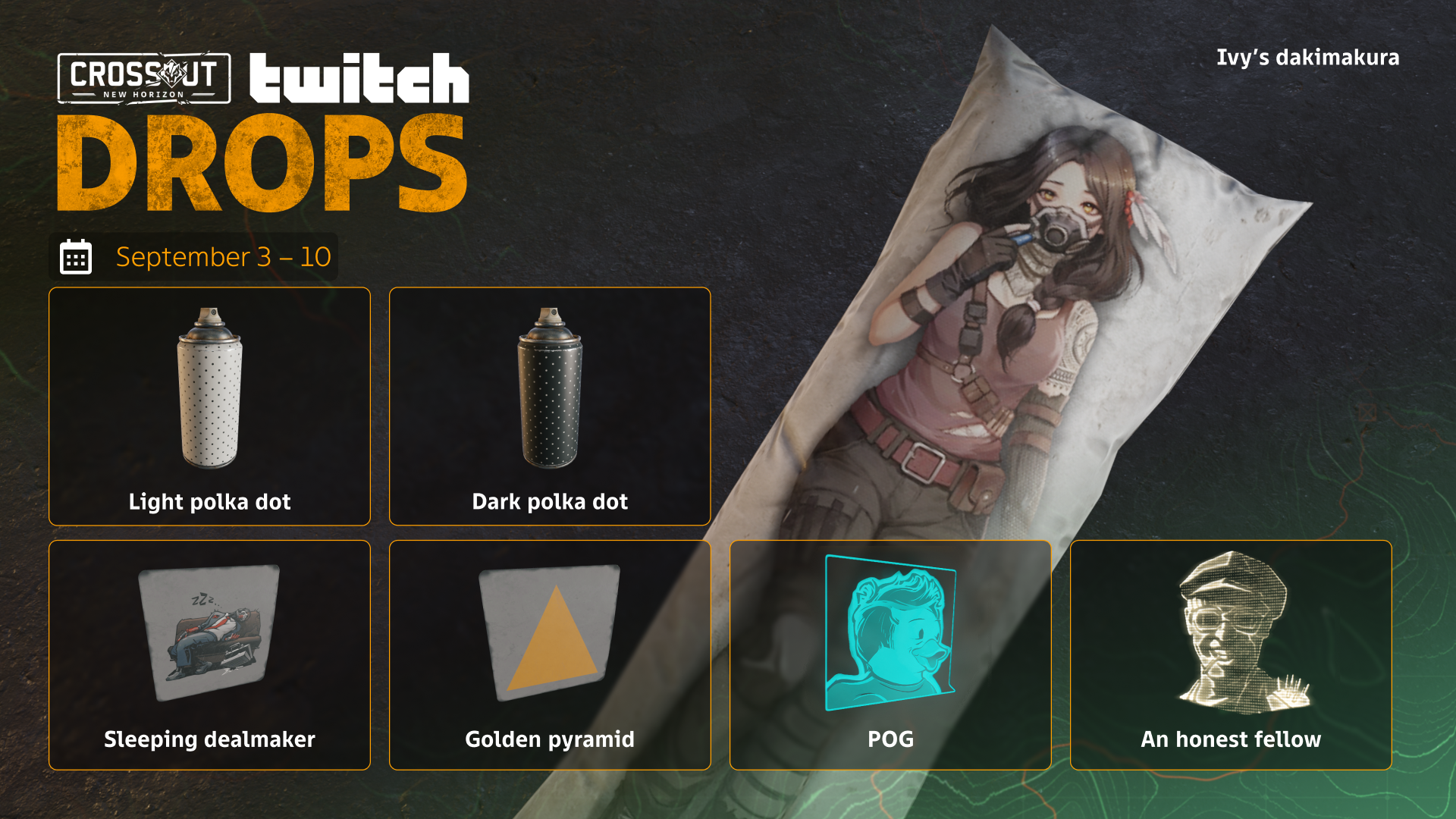
Survivors! The Twitch Drops are back! Watch Crossout livestreams from September 3, 2026, 16:00 GMT to September 10, 2026, 20:59 GMT, and get the special Cartridges! You can exchange them in-game for special rewards:
- NEW! "Sleeping dealmaker" sticker;
- “POG” hologram;
- "Ducky, ducky, duck" hologram;
- "An honest fellow " hologram;
- “SALVA-A-A-AGE” sticker;
- “‘Fair’ play” sticker;
- “Clownduck” sticker;
- “Cheese” sticker;
- “Where’s my popcorn?” sticker;
- “LUL” sticker;
- "Not like this" sticker;
- “Sarcasm” sticker;
- “Cool story, survivor” sticker;
- "Golden pyramid" sticker;
- "Light polka dot" paint;
- "Dark polka dot" paint;
- “Purple pixel” paint;
- “Short pink lamp” decor;
- “Pink lamp” decor;
- “Long pink lamp” decor;
- “Dragon’s tongue” decor;
- "Ivy's Dakimakura" decor;
- Witness’s container.
FAQ
What are the Twitch Drops?
- These are game rewards for stream viewers on Twitch.
You mean I can get something in Crossout?
- Yep! The longer you watch Crossout streams, the more Cartridges you’ll get.
What are “Cartridges”?
- They’re a unique resource created specially for Twitch Drops that you can exchange for rewards in Crossout. Special rewards will be available in the game until September 13 inclusive.
- ATTENTION! If you don’t use all your Cartridges before the end of September 13, they’ll remain in your storage so you can use them next time.
Awesome! What do I need to do to be able to get the rewards?
- You need to link your Gaijin and Twitch accounts:
- Sign up or log into your Twitch account on the website.
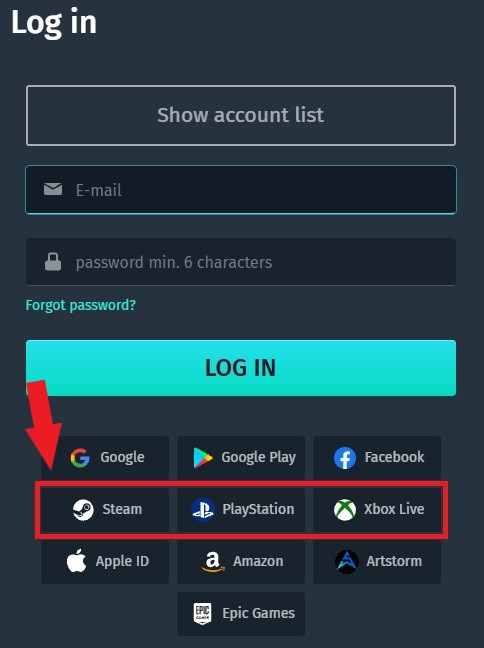
- Enter the information from your Gaijin account you are playing Crossout with on this page and click the “Link” button.
- ATTENTION! If you are playing on PlayStation, Xbox or via Steam, click on the appropriate icon below without entering any data into the blank fields!
- Press the “Allow” button!
What livestreams do I need to watch to be able to get rewards?
- Watch Crossout streams marked “Drops enabled!”.
How do I know that I have received a reward?
- You will receive a reward message on the Twitch broadcast page. Once you see it, you will need to click on the “Get” button. You can also do this in your Drops inventory.
- ATTENTION! You can only get a reward while the Twitch Drops campaign is active!
Which platforms are the rewards available for?
- The rewards are available for everyone who plays Crossout on PC, PlayStation 4, PlayStation 5, Xbox One and Xbox Series.
How do I turn on Twitch Drops on my channel if I am a streamer?
- Twitch Drops are enabled only for streamers who are part of the Crossout partnership program and some of popular streamers from the community. If you want to become a Crossout partner, you can fill out the form on the Partnership page of our website.